 Ficelle
OpenCode free models: what is free and what caps out
OpenCode free models come in two kinds: the zero-price models OpenCode lists in its own catalog for a limited time, and free-tier quotas from providers such as OpenRouter that run out. Here is what each one gives you, what the OpenCode docs say about retries, and how a custom OpenAI-compatible provider could point OpenCode at one local endpoint backed by a pool.
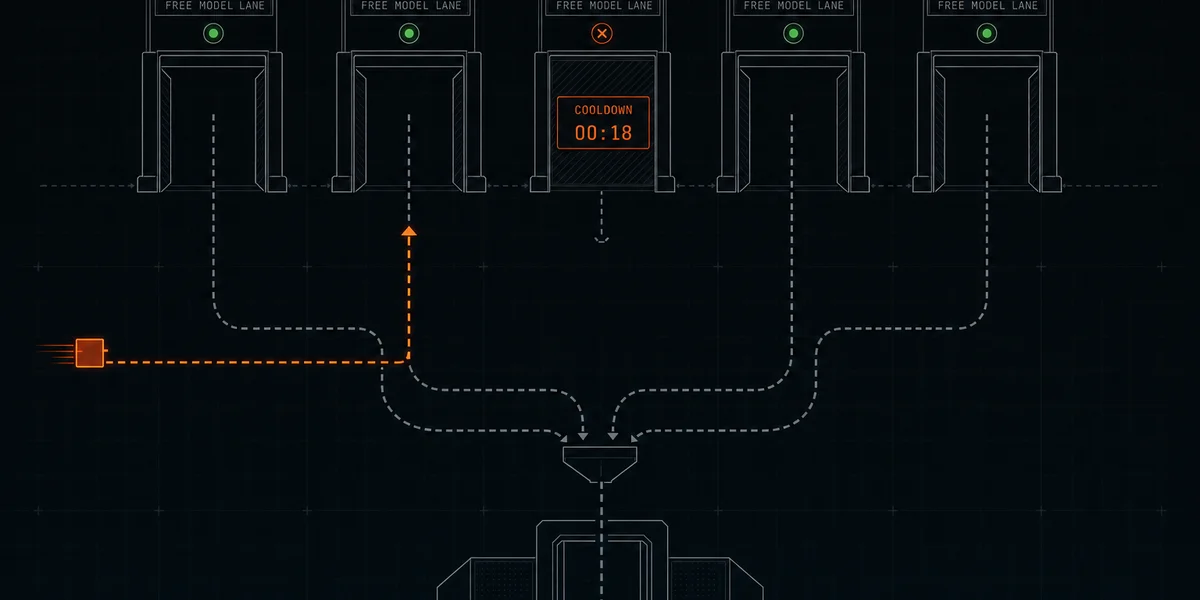
OpenCode free models are the zero-price models OpenCode lists under its own opencode/ provider, such as opencode/big-pickle, and the docs describe several of them as free “for a limited time”. Separate from those, you can connect providers with free quotas, OpenRouter’s :free variants being the common one, which carry request limits per minute and per day. Neither kind is unlimited, and the passages of the OpenCode providers page quoted below cover retries for timed-out requests and choosing a model by hand. OpenCode’s custom OpenAI-compatible provider setting lets you point it at a single endpoint, and a router behind that endpoint can hold several free models; that pairing is a setup to test yourself, as explained below.
Which models are free in OpenCode?
OpenCode’s Zen documentation lists a set of free models. At the time of writing they include Big Pickle (big-pickle), DeepSeek V4.1 Flash Free, MiMo-V2.6-Flash Free, Nemotron 3.5 Lightning Free, Nemotron 3.5 Super VL Free, Flint 40B Free, Beam Free and a few stealth models. The setup step on that page reads: “Run /connect in the TUI, choose the OpenCode pay-as-you-go provider, and paste your API key.” You then pick a model with /models, or set it in your config with the opencode/<model-id> format:
{
  "$schema": "https://opencode.ai/config.json",
  "model": "opencode/big-pickle"
}
Three things in that list are worth reading before you rely on it:
- Free for a limited time. The page says it model by model, for example “Big Pickle is a stealth model that’s free on OpenCode for a limited time.” The list changes, so check it again before you build a workflow around one id.
- Data terms differ per model. For Big Pickle, “During its free period, collected data may be used to improve the model,” and the Nemotron entries say “Trial use only — do not submit personal or confidential data.” Beam Free states that inputs are not used for training and “Data is retained for 30 days for safety reasons.” Read the line for your model before you send it a private repository.
- They stay inside OpenCode. The page states: “Free-tier chat models require OpenCode; use paid models or Go from other clients.” A router or another client cannot use them as free models.
OpenCode deserves credit here: the free models sit in the same catalog as the agent’s paid ones, and the page states data terms for models such as Big Pickle, the Nemotron entries and Beam Free. If you would rather not see them, the page says: “To hide free models in OpenCode, set OPENCODE_DISABLE_FREE_MODELS=1.”
What does “free” mean with OpenCode and OpenRouter?
The secondary route is to bring a provider key. OpenCode’s providers page says to “Provide OPENROUTER_API_KEY to the OpenCode server or connect an OpenRouter account,” then reference models as openrouter/<model>.
OpenRouter’s limits page puts free variants under their own limits: “If you’re using a free model variant (with an ID ending in :free), the following limits apply”. Its table gives a number of requests per minute and per day, by credits purchased (all time), so the daily allowance depends on whether the account has bought credits. Check that table for the current numbers rather than a copy that may be out of date.
So there are four kinds of access to keep apart when you read “free”:
| Kind | Example | What ends it |
|---|---|---|
| Zero-price model in the agent’s catalog | opencode/big-pickle | The limited-time offer ending |
| Renewable free quota | OpenRouter :free variants | The per-minute or per-day request limit |
| Trial credits | A provider’s sign-up credit | The credit balance |
| Paid API | Any per-token model | Your budget |
Ficelle keeps a providers directory and a models directory if you want to compare free options beyond OpenCode and OpenRouter.
What happens mid-session when a free model caps out?
A coding session can send many requests to the provider over its course, so a per-day quota that looks generous for chat can run out during one long refactor, and a per-minute limit can be reached when requests come in quick succession.
OpenCode’s providers page documents how it handles slow requests: “HTTP requests wait up to five minutes for response headers and up to fifteen minutes between streamed response chunks,” and “OpenCode retries a timed-out request up to three times before giving up.” Those passages concern timeouts; none of the passages quoted here sets a rule for a rate-limit error. The page also gives the way to choose a model: “Then run /models to select one of its models.” Check how your OpenCode version reports a quota error before you plan around it.
If you switch models by hand after a cap, the replacement is whatever you choose in the moment, and it may handle your codebase differently from the one that started the task. If the model you reach for is a paid one, that part of the session is billed.
How to add a failover endpoint to OpenCode
The providers page says: “Add a provider when its API is not already in the catalog.” Its example gives a custom provider a credential variable (env), a runtime package, a base URL in settings and the models it serves, and “The providers object is keyed by the provider ID used in model references, such as acme/qwen3-coder.”
The idea is to point that provider at a router that keeps a pool of free models behind one base URL, so the agent keeps one model id and the router chooses which upstream model answers. The example below is untested: it shows the shape the OpenCode docs describe, with Ficelle’s local endpoint as the base URL.
{
  "$schema": "https://opencode.ai/config.json",
  "providers": {
    "ficelle": {
      "name": "Ficelle",
      "env": ["FICELLE_API_KEY"],
      "package": "@opencode/ai/providers/openai-compatible",
      "settings": {
        "baseURL": "http://127.0.0.1:8646/v1"
      },
      "models": {
        "ficelle/auto-coding": { "name": "Ficelle auto-coding" }
      }
    }
  },
  "model": "ficelle/ficelle/auto-coding"
}
The docs add: “settings is package-specific. A field only has an effect when the selected package supports it.” Check the field names against the providers page for your OpenCode version. Ficelle does not list OpenCode among its supported clients, and this pairing, including how the credential is passed, has not been validated end to end for this article. Test it on a throwaway branch before a real session.
What is established is the endpoint side. Ficelle runs on your machine at http://127.0.0.1:8646/v1; it is a local OpenAI-compatible endpoint, not a hosted API. You request models by kind through virtual ids such as ficelle/auto-tools or ficelle/auto-coding. When a free model rate-limits, Ficelle marks it as cooling down, answers from the best working free alternative when another eligible model is available, and probes the limited one until it recovers. Whether OpenCode passes those answers through as expected is the part your test has to confirm.
What a failover endpoint does not change
A pool of free models is still a pool of quotas. When every eligible free model is exhausted, the request fails. Ficelle’s strict-zero routing keeps paid models out of that path: paid fallback is hardcoded off, the router refuses to start if it reads another value, any model that reports billing is quarantined, and there is no paid-model routing on any plan. How OpenCode displays the failed request is again something to see in your own test.
Free coding models are also not equal to paid ones. In Ficelle’s 76-task benchmark against gpt-5, free routing was quality-safe on 100% of classification tasks, 95% of JSON extraction tasks and 94% of reasoning and code tasks. Polished writing went the other way: free tied or beat gpt-5 on only 50% of tasks (10 of 20), so release notes and user-facing docs belong on a paid model or with a human editor. The benchmark page says its results were “judged by an LLM against rubrics, so treat them as directional”, and it did not measure OpenCode sessions. The Claude Code free alternative guide maps those categories onto coding-agent workloads; using the same split in OpenCode is a reasonable starting assumption to check on your own repository.
Which setup should you pick?
- Trying OpenCode for a few days: use its built-in free models, and read the data line for each one.
- Daily use with your own keys: connect OpenRouter and use
:freevariants, within the request limits on its limits page. - Experimenting with a pooled endpoint: add one custom provider pointing at a local router with several free providers behind it, test it before relying on it, and keep a paid model selected by hand for the work that needs it.
Ficelle’s open core is free under BSL 1.1, with no account and no card, and ships with the OpenRouter and Nous reference providers. Pro adds the maintained, curated provider pool with fixes when a provider breaks. Its 14-day free trial requires a card, and Stripe charges the selected plan when the trial ends unless you cancel first. If a wider pool is what keeps your OpenCode sessions running, compare Ficelle plans.