 Ficelle
LiteLLM vs OpenRouter: who runs the router, who holds keys
LiteLLM is a gateway you run on your own infrastructure; OpenRouter is a router a company runs for you. How key custody, free-model quotas and fallback differ, why LiteLLM can call OpenRouter, and where a local strict-zero router fits.
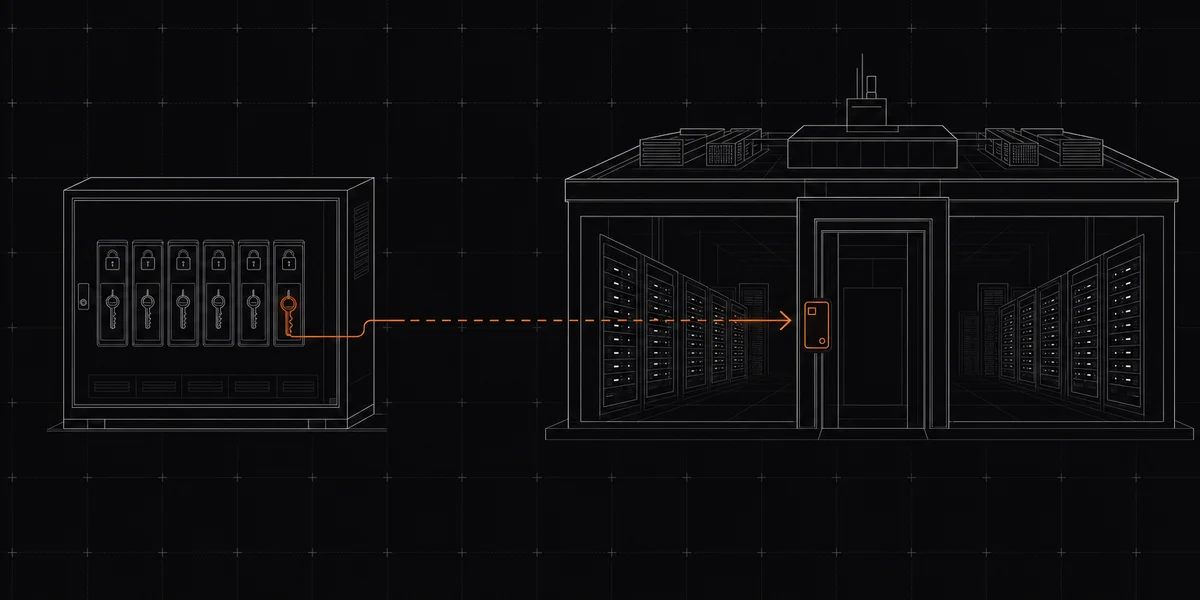
The LiteLLM vs OpenRouter choice comes down to who runs the routing layer. LiteLLM’s AI Gateway is a self-hosted server: you deploy it, store your provider keys on it, and it gives your applications one OpenAI-compatible endpoint. OpenRouter is a hosted service: you send requests to its API with one OpenRouter key, and it picks an upstream provider from its catalog. The two are not exclusive, because LiteLLM has an OpenRouter provider and can send any request to OpenRouter. Pick LiteLLM when a team needs its own keys, budgets and per-user controls on infrastructure it operates; pick OpenRouter when you want a large catalog and one bill without running a server. For free models, neither one adds quota: the provider account behind the request still sets the limit.
Feature grids miss that framing, so this article answers the questions behind it: who holds which key, what happens to free-model quotas in each setup, and what each one does when the free route fails.
What is the difference between LiteLLM and OpenRouter?
| LiteLLM AI Gateway | OpenRouter | |
|---|---|---|
| Who runs it | You, on your servers | OpenRouter |
| Request path | App → your gateway → provider | App → OpenRouter → upstream provider |
| Keys you manage | One key per provider, stored on the gateway, plus virtual keys you issue | One OpenRouter key; optional provider keys stored with OpenRouter (BYOK) |
| Billing | Each provider bills you directly | OpenRouter credits |
| Free models | Whatever free tiers your provider keys can reach | :free model variants with account-level limits |
| Fallback | The chain you configure | Its own provider routing, plus fallback options you set |
LiteLLM’s AI Gateway documentation describes “one OpenAI-compatible endpoint for 100+ LLM providers”, started with Docker, Helm, or Terraform. Its strength is governance: you issue virtual keys, and each one carries its own models, budgets and rate limits, while the gateway records the cost of every request by key, team, user and tag. The LiteLLM repository also lists some features under a separate LiteLLM Commercial License, so check which ones your deployment needs before you plan around them.
OpenRouter’s strength is everything you do not run. Paid frontier models and zero-price :free variants sit in one catalog behind one key and one credit balance, and the comparison of OpenRouter alternatives details its provider routing controls. If you need many paid vendors with no infrastructure at all, it is hard to beat.
Can LiteLLM use OpenRouter?
Yes. LiteLLM’s OpenRouter provider page states that “LiteLLM supports ALL OpenRouter models”: you prefix the OpenRouter model ID with openrouter/ and set OPENROUTER_API_KEY. The base URL defaults to https://openrouter.ai/api/v1, and OpenRouter-specific parameters (transforms, models, route) pass through to the call.
A proxy config that exposes one OpenRouter free model under a name of your choosing looks like this:
model_list:
  - model_name: free-chat
    litellm_params:
      model: openrouter/google/gemma-4-31b-it:free
      api_key: os.environ/OPENROUTER_API_KEY
That stacking is common. LiteLLM gives the team virtual keys, budgets and logs; OpenRouter gives LiteLLM a wide catalog without one key per vendor. The cost is a second hop and a second company in the request path. Your prompt goes through your gateway, then through OpenRouter, then to the upstream provider, and each layer has its own logging and data terms.
Who holds your provider keys?
With LiteLLM, every provider key lives on the gateway you operate, usually as an environment variable or in its database. You decide who can read it, and you are also the one who patches the host. The LiteLLM supply chain attack showed what that responsibility means, and how pinning exact versions of whatever gateway you run limits the damage.
With OpenRouter, the default is a single OpenRouter key and no provider keys at all. If you bring your own provider keys, OpenRouter stores them encrypted and uses them for requests to that provider. The BYOK page sets the fee at 5% of what the same model and provider would normally cost on OpenRouter, deducted from your credits, and it documents a default worth checking: when all your keys hit a rate limit or fail, OpenRouter falls back to its shared endpoints, which spend OpenRouter credits. A “Never use shared capacity” setting turns that off.
What happens to free-model quotas?
This is where the two differ least, and where people expect the most. A router can only spend capacity that some account already holds.
On OpenRouter, a model ID ending in :free falls under the limits table in its rate limits documentation: 20 requests per minute, and 50 requests per day for an account that has bought less than 10 credits in total, or 1000 per day once it has bought at least 10. The same page warns against working around that: “Making additional accounts or API keys will not affect your rate limits, as we govern capacity globally.” It also says a negative credit balance can produce errors, free models included.
Put LiteLLM in front of OpenRouter and nothing changes upstream. LiteLLM’s per-key rate limits split or restrict the capacity your OpenRouter account has; they do not add any. Ten virtual keys on one OpenRouter account still share one daily free counter.
LiteLLM’s own advantage with free tiers is reach. Because it calls providers directly with your keys, it can put free tiers from different providers (each with its own account or project scope, as the OpenRouter provider page and the rest of the provider directory record) behind one endpoint. The work of knowing which of those models is still free, and under which ID, stays with you.
What does each one do when the free route fails?
Both will answer with a paid model if you allow it, and neither does so by accident.
LiteLLM’s reliability settings let you list fallback model groups, tried in order, with separate chains for context-window errors, content-policy errors and everything else, rate limits included. Failing deployments go on a cooldown. If the last group in a chain is a paid model, a rate-limited free model hands its traffic to that paid model; budgets cap the spend afterwards, which is a different control from refusing paid routes.
On OpenRouter, a fallback list that includes a paid model can answer with it, and BYOK traffic can move to shared capacity unless you switch that off. The LLM fallback guide explains how to tell billing failures from throttling before you add retries.
Where a local strict-zero router fits
There is a third option for a single developer or a small setup that only wants free models: a router on your own machine that refuses paid routes in code. It does not replace LiteLLM’s team governance or OpenRouter’s paid catalog. Ficelle is one such router. It runs locally at http://127.0.0.1:8646/v1, keeps API keys on your machine, and sends prompts directly to the chosen provider. When a model rate-limits, it marks that model as cooling down and answers from the best working free alternative, when another eligible model is available.
The difference with the two setups above is strict-zero routing: paid fallback is hardcoded off, the router refuses to start if it reads any other value, and any model reporting billing is quarantined. When no free model can serve the request, the agent gets an error. Ficelle’s open core ships with OpenRouter and Nous as reference providers, so OpenRouter :free models route through it, under the same OpenRouter daily counter as anywhere else.
Free models also have a cost in quality. In Ficelle’s free-versus-paid benchmark, a 76-task run against gpt-5, free routing tied or beat the paid model on only 50% of polished writing tasks. Keep that work on a paid model, through LiteLLM or OpenRouter, or with a human editor.
The LLM gateway guide maps the five layers a gateway can own, if you want to compare all three on the same grid. If a local free-only router with your keys on your machine is the piece you were missing, compare Ficelle plans.
How to choose
- Several people or services share model access, with budgets per key: LiteLLM, on infrastructure you can patch and monitor.
- You want paid models from many vendors with no server to run: OpenRouter.
- You want both: LiteLLM in front, OpenRouter as one of its providers, and its free counter counted once.
- You only want free models, and a paid answer must never happen: a local strict-zero router, with the quality limit above in mind.
- Whatever you choose: read the fallback chain end to end and check what its last entry costs.